
Digital Scheduling Systems for Auto Shops
Auto repair is a time-based business. Every day, you’re balancing technician capacity, service bays, parts availability, comebacks, walk-ins, tow-ins, phone calls, and customers who want fast answers.
A modern digital scheduling system for auto shops turns that chaos into an organized, profitable workflow by connecting your calendar to your shop operations—service writing, estimates, parts ordering, technician dispatch, customer updates, and payment.
The biggest shift is that scheduling is no longer “just booking an appointment.” The best digital scheduling systems for auto shops treat scheduling as the front door to the entire customer experience. Customers want online booking that feels like ordering food: pick a service, choose a time, confirm instantly, and get reminders.
Your team needs the opposite view: who is available, how long the job will really take, what skills are required, and how to avoid dead time between jobs. When scheduling works, your bays stay full, your phone stops ringing nonstop, your advisors can sell instead of scramble, and customers feel informed—before they ever arrive.
In this guide, you’ll learn what a digital scheduling system for auto shops should include, how to implement it without disrupting production, and how to future-proof your scheduling so it keeps up with changing customer expectations, data privacy pressures, and automation trends.
Why Digital Scheduling Systems for Auto Shops Are Now a Competitive Requirement

Customers judge your shop before they meet you. If they can’t schedule easily, they assume you’re busy, outdated, or unreliable—even if you do excellent work. The shops winning today are the ones that reduce friction at every step: discovery, booking, check-in, approval, updates, and pickup.
A strong digital scheduling system for auto shops directly supports that by making scheduling feel effortless for customers and operationally “smart” for your staff.
On the customer side, online booking captures demand after hours. Many drivers search and decide at night or early morning. A booking link in your business profile and website can turn high-intent searches into confirmed appointments without a phone call.
Google’s business tools support adding action links that help customers take steps like booking or learning more, which is critical when people are comparing nearby options quickly.
On the shop side, digital scheduling reduces the hidden costs of bad calendars: overbooking, underbooking, stacking work on one technician, leaving specialty techs idle, and forgetting promised deadlines.
It also reduces no-shows using automated reminders and confirmations. Even a small reduction in no-shows and missed calls can add up to thousands in monthly revenue because one missed appointment often means losing a customer permanently.
Finally, scheduling is where trust begins. Clear appointment confirmations, transparent arrival instructions, and realistic timelines reduce conflict later. When your digital scheduling systems for auto shops include intake questions, vehicle details, and reason-for-visit, your advisors start the day prepared instead of playing catch-up.
Core Components of Digital Scheduling Systems for Auto Shops

A basic online calendar is not enough. The most effective digital scheduling systems for auto shops combine customer-facing convenience with shop-floor realities like technician skills, bay constraints, and parts-dependent jobs.
To perform well, a scheduling system must do four things at the same time: capture demand, qualify the appointment, allocate capacity, and keep everyone updated.
First, customer-facing booking should include service selection, preferred date/time windows, and basic vehicle information. The system should allow customers to describe symptoms in plain language while also guiding them into common categories like brake noise, AC concern, oil service, or check-engine light. That structure matters because it connects directly to labor estimates and appointment length.
Second, capacity management is where digital scheduling becomes “shop-smart.” Your system should account for technician availability, skill sets, and bay types. A tire/align appointment can’t be scheduled into a bay that lacks alignment equipment. A diagnostic appointment shouldn’t be stacked into a day where your diagnostic technician is already overloaded.
Third, automated communications matter as much as the calendar. Your digital scheduling system for auto shops should send confirmations, reminders, reschedule links, and arrival instructions. The best systems also support two-way messaging so customers can reply “running late” or “need to reschedule” without calling.
Fourth, integration is critical. Scheduling must connect to work orders, estimates, parts ordering, CRM, and payments. When scheduling is isolated, your staff ends up duplicating work, which defeats the entire purpose.
Online Booking That Converts: Designing a Customer-First Scheduling Flow

Online booking should feel simple, but behind the scenes it must protect your production schedule. The best digital scheduling systems for auto shops strike that balance by offering customers a clear path to book while using rules, buffers, and qualification questions to prevent bad appointments.
Start with the booking entry points. Customers typically schedule from three places: your website, your map listing, and a text or email link after a quote. Make booking available in all three places.
Even small improvements—like a “Book Service” button near your phone number—can increase conversions because customers don’t want to search for contact pages or wait on hold. Google supports adding business profile links that help customers take direct actions, which makes scheduling easier right from search results.
Next, keep the booking form short but strategic. Ask only what you will truly use: name, phone, email, vehicle year/make/model, preferred service, and a short description. If you need photos (tire damage, warning lights, leaks), offer optional uploads. Don’t overdo it or customers will abandon the form.
Then add guardrails. Your digital scheduling system for auto shops should allow “service-duration templates” and buffers. For example, oil service might be 45 minutes with a 15-minute buffer, while diagnostics might be a 90-minute slot with limits on how many can be booked per day. Guardrails prevent the “calendar looks full but we’re not productive” problem.
Finally, confirm expectations instantly. Every booking should generate a confirmation message that includes time, address, drop-off instructions, policies, and what to bring. Clarity reduces no-shows and improves the first impression before the customer ever arrives.
Service Menus, Smart Intake, and “Right-Sized” Appointment Slots
A service menu is not just marketing—it’s operational control. When customers choose from a well-designed menu, your digital scheduling system for auto shops can estimate time, route the work, and avoid scheduling conflicts. The key is to structure your menu based on how your shop actually operates, not how customers describe issues.
Group menu items into a few clear categories: Maintenance, Brakes & Tires, Diagnostics, AC/Heating, Electrical, Suspension/Steering, and “Other/Not Sure.” For each category, attach default duration ranges and required resources (lift, alignment rack, specialty technician, scan tools). You’re not locking yourself into a final estimate; you’re creating a reliable scheduling baseline.
Smart intake questions should be short and targeted. For diagnostics, ask: “Any warning lights? Any recent repairs? Does it happen at idle or while driving? Any noises?” For brakes: “Grinding or squealing? Pulling? Vibration?” These questions help advisors prep and reduce wasted time at check-in.
Right-sizing slots is the difference between a calendar that looks good and a shop that runs smoothly. Your digital scheduling system for auto shops should limit high-variability work (like diagnostics) while allowing more volume for predictable work (like maintenance).
It should also support “request windows” instead of fixed times for certain jobs, such as drop-off between 8–10 AM, so you can stage workflow efficiently.
When service menus are built correctly, customers feel guided instead of confused, and your shop gains a scheduling structure that supports profitability.
Policies, Deposits, and No-Show Prevention Without Losing Customers
No-shows and late cancellations are more than annoying—they’re expensive. A modern digital scheduling system for auto shops reduces these losses without making your shop feel unfriendly. The approach is not just reminders; it’s a complete “commitment design.”
Start with layered reminders. Use a confirmation immediately after booking, a reminder 48–72 hours before, and a final reminder 2–4 hours before. Include a one-tap reschedule link in every message. When rescheduling is easy, customers are more likely to notify you rather than ghost you.
Next, use lightweight policies that match the service type. A quick oil change shouldn’t require a deposit in most cases. But high-demand services (diagnostics, specialty work, performance tuning, or long inspections) may justify a small booking deposit or card-on-file policy. Your digital scheduling system for auto shops should support deposits selectively by service, not as a blanket rule.
Be careful with tone. Policies should sound like customer protection: “To reserve time with a specialist and keep wait times low, we confirm appointments with a small deposit that is applied to your final invoice.” This feels fair and professional.
Finally, track no-show patterns. Digital scheduling systems for auto shops can flag repeat offenders and require stronger confirmation for those customers. You don’t need to ban people; you simply adjust your process based on behavior.
A system that reduces no-shows protects your schedule, your team’s morale, and your revenue—while still keeping the booking experience friendly.
Technician Capacity Planning and Bay Utilization With Digital Scheduling Systems for Auto Shops
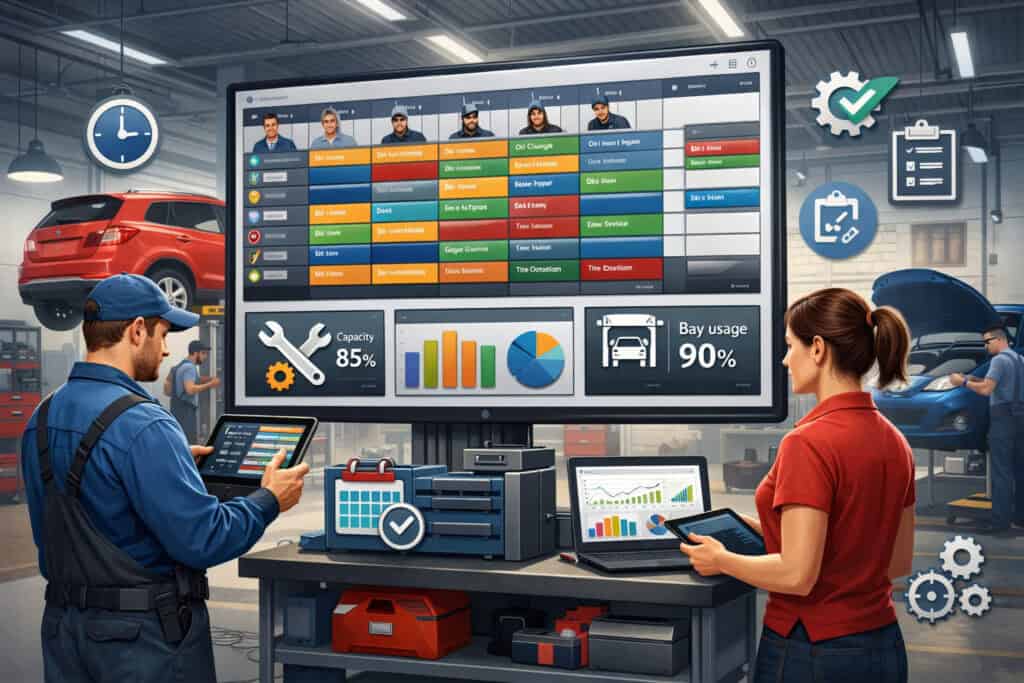
The calendar is not the workflow. Many shops struggle because they schedule like a doctor’s office—fixed times, equal slot lengths, and little connection to the work being done. True digital scheduling systems for auto shops schedule production capacity: technician time, bay constraints, and job variability.
The first step is translating appointments into workload. Each scheduled item should map to a rough labor expectation and technician type. Even if the exact diagnosis changes, you can plan your day around realistic capacity instead of hope. When capacity is visible, you can stop overpromising on wait times and start delivering consistent completion windows.
Second, you need bay-based scheduling. A shop with 6 bays and 4 technicians doesn’t have unlimited space. Alignments, tire work, and heavy repairs require specific bays or equipment. Digital scheduling systems for auto shops should allow you to allocate bay types and prevent conflicts automatically.
Third, the system should support internal dispatching. Advisors shouldn’t have to “guess” who is free. Scheduling should feed into a dispatch board that shows queued work, technician status, and estimated completion. That visibility reduces bottlenecks, prevents “everyone waiting on one person,” and improves cycle time.
Finally, plan for variability. Diagnostics and intermittent issues are unpredictable. Your scheduling system should allow buffers, triage slots, and overflow strategies. Shops that schedule with flexibility can handle tow-ins and emergencies without wrecking the entire day.
Skill-Based Scheduling and Job Templates That Prevent Bottlenecks
Not all tech hours are equal. One of the biggest advantages of digital scheduling systems for auto shops is skill-based scheduling. Instead of booking jobs into generic time slots, you assign them to the right technician category or competency level.
Set up job templates. For example: “Brake inspection + pad/rotor estimate” might default to 1.0 hour and can be assigned to general techs. “Electrical diagnostic” might default to 1.5 hours and should route to a diagnostic specialist. “Alignment + tire install” might require a specific bay and a tech trained on alignment procedures.
Skill-based scheduling reduces bottlenecks because it prevents the common problem where every complex job ends up waiting for the same person. If your diagnostic tech is overloaded, the system should stop offering those slots to customers or shift them to specific days.
Job templates also improve quoting accuracy. When the same service type is scheduled repeatedly using consistent templates, your shop gets better at predicting time and setting expectations. Over time, you can refine templates based on actuals—what took 45 minutes vs. what took 90.
A strong digital scheduling system for auto shops turns what used to be tribal knowledge into repeatable operational logic. That means less stress, fewer surprises, and a schedule that matches reality.
Handling Walk-Ins, Emergencies, Tow-Ins, and “Hidden Work” Without Chaos
Real life doesn’t follow calendars. Walk-ins happen. Tow trucks arrive. A customer shows up early. Another customer needs a recheck. Without structure, these events destroy the day. The right digital scheduling system for auto shops gives you tools to absorb disruption without losing control.
First, build “triage capacity” into your schedule. Reserve small blocks daily for quick inspections and urgent issues. Even 60–90 minutes of protected triage time can prevent the domino effect where every appointment runs late.
Second, use flexible appointment types. A tow-in might be scheduled as “diagnostic intake” rather than a full repair slot. Your goal is to control the first step (inspection, scan, verification) so you can quote accurately and schedule the repair work later.
Third, don’t ignore “hidden work.” Rechecks, warranty adjustments, and customer callbacks can quietly consume hours. Digital scheduling systems for auto shops should include internal appointment categories so your team can schedule these items and protect production time.
Finally, communicate proactively. When disruption happens, use your system’s messaging to notify customers early. A simple message—“We had an emergency tow-in; your vehicle is still on track for today, but pickup may shift by 30 minutes”—reduces frustration and builds trust.
A schedule that can flex without breaking is one of the clearest signs of a well-run shop.
Integrations That Make Digital Scheduling Systems for Auto Shops Actually Work
Scheduling creates value only when it connects to the rest of your operation. Otherwise, your team double-enters information and customers fall through cracks. The most effective digital scheduling systems for auto shops integrate with shop management, CRM, inventory/parts workflows, customer communications, and payments.
Start with shop management integration. Appointments should automatically generate customer records and draft work orders. Vehicle details captured during booking should appear at check-in, so advisors aren’t repeating questions. The system should also support attaching service history and notes to future appointments.
Next, connect messaging and reminders. A scheduling system should trigger confirmations, reminders, and follow-ups automatically. Two-way messaging is especially valuable because customers reply faster than they call. Fewer phone calls means advisors can spend more time on estimates and approvals.
Parts integration matters more than many shops realize. If you schedule work that requires parts, the system should support pre-order workflows or at least flag “parts-dependent” jobs. It’s better to schedule accurately and complete jobs on time than to fill bays with vehicles waiting on parts.
Finally, payment integration can shorten pickup time. If your system supports payment links or pre-authorization, you can reduce end-of-day congestion and improve cash flow. Customers also appreciate not standing in line at the counter.
A truly connected digital scheduling system for auto shops becomes a workflow engine, not a calendar.
Connecting Scheduling to Shop Management, CRM, and Customer Communication
The best customer experience feels seamless. That only happens when scheduling, repair orders, and communications share the same data. A digital scheduling system for auto shops should push appointment details into your shop system so advisors have full context before the vehicle arrives.
CRM connection is key for retention. If a customer schedules an oil service, the system should automatically set a reminder for the next interval and send follow-up prompts when due. This turns scheduling into repeat business rather than one-time transactions.
Two-way communication is the “quiet superpower.” Customers often ignore voicemail but respond to a text. Your scheduling system should allow customers to confirm, reschedule, or ask quick questions without calling. It should also allow your team to send photos, inspection results, and estimated links when appropriate, reducing approval delays.
When scheduling data flows into your CRM, you can personalize messages: “We have you scheduled for Tuesday at 9:00. Please bring your wheel lock key.” Those details reduce friction and show professionalism.
A connected digital scheduling system for auto shops isn’t only about convenience—it’s about building a process customers trust and want to return to.
Payment Links, Deposits, Service Packages, and Membership Scheduling
Shops increasingly offer service packages: maintenance bundles, fleet service plans, or membership-style perks. Digital scheduling systems for auto shops should support these offerings because they improve loyalty and stabilize revenue.
Payment links reduce checkout bottlenecks. When the vehicle is ready, customers can pay from their phone and arrive only for pickup. Some systems also support deposits for reserved time or specialty work. Deposits can reduce no-shows for high-demand slots, especially when paired with clear policies and easy rescheduling.
Membership scheduling is another growing use case. If a customer has a prepaid maintenance plan, scheduling should recognize that status and offer eligible services without extra friction. This makes the plan feel valuable and keeps customers inside your ecosystem instead of shopping around.
Service packages also help your marketing. Your digital scheduling system for auto shops can present packages as clear options during booking—“Brake Inspection + Fluid Check” or “Seasonal Safety Check”—which increases average ticket value while helping customers choose confidently.
When scheduling ties into payments and packages, you’re not just filling the calendar—you’re shaping demand toward the most profitable and repeatable services.
Compliance, Data Security, and Customer Privacy in Digital Scheduling Systems for Auto Shops
Scheduling systems handle sensitive information: names, phone numbers, vehicle details, appointment history, and sometimes payment data. That makes security and compliance non-negotiable.
A responsible digital scheduling system for auto shops should include strong access controls, audit trails, secure messaging practices, and vendor security transparency.
Start with data minimization. Collect only what you need to schedule and serve the customer. Avoid unnecessary personal details. Use secure forms and encrypted connections. Ensure staff accounts have role-based access so not everyone can export customer lists or view financial data.
Next, consider texting and messaging compliance. Many shops rely on SMS for reminders and updates. Your system should manage opt-in and opt-out preferences properly. This reduces legal risk and improves customer trust because customers feel in control of communications.
Regulatory expectations around automotive customer practices and consumer transparency have also been in the spotlight.
For example, federal rulemaking related to auto retail practices has faced delays and legal challenges, with the effective date postponed while litigation played out.
Even if your shop focuses on service rather than vehicle sales, the broader trend is clear: consumer protection scrutiny is increasing, and clear disclosures, records, and communication logs matter.
Finally, privacy expectations are rising across connected vehicle ecosystems, with growing attention on how driver data is collected, used, and shared. While your scheduling system isn’t a telematics platform, customers increasingly worry about data handling. Strong privacy practices will become a competitive advantage, not just a checkbox.
Choosing Vendors With Strong Security Practices and Reliable Uptime
Vendor choice is a security decision. Your digital scheduling system for auto shops should be offered by a vendor that can explain how they protect data, how they handle backups, and what happens if systems go down.
Look for practical indicators: multi-factor authentication, role-based permissions, encryption in transit and at rest, regular security updates, and clear incident response policies. Ask about uptime history and whether the platform has redundancy. A scheduling outage during peak hours can cause real revenue loss.
Also consider data portability. If you ever switch platforms, can you export customer records, appointment history, and communication logs? Being locked in is risky. A strong vendor will offer clear export options and documentation.
Another important factor is support. When scheduling fails, you need fast help. Evaluate how support works: live chat, phone availability, escalation process, and response time expectations.
Reliable vendors also invest in integrations, which reduces risky workarounds like staff copying customer data into multiple systems. The fewer manual transfers you have, the safer your operation becomes.
In short, a secure digital scheduling system for auto shops comes from both technology and vendor maturity.
Texting, Reviews, and Marketing Automation Without Crossing the Line
Scheduling is often the trigger for marketing: review requests, reminders, service follow-ups, and reactivation campaigns. Done well, it builds loyalty. Done poorly, it creates spam complaints and damages your reputation. Digital scheduling systems for auto shops should help you stay on the right side of customer expectations and messaging rules.
Start with consent. Make opt-in clear at booking and in your intake forms. Then honor opt-outs automatically. Customers shouldn’t have to ask twice. Systems that respect communication preferences reduce risk and increase engagement.
Next, time your messages. Don’t send review requests immediately after booking. Send them after service completion. Don’t send promos at odd hours. Keep messages short and relevant. A well-timed reminder like “Your appointment is tomorrow at 9:00—reply C to confirm” feels helpful, not pushy.
When requesting reviews, personalize lightly: “Thanks for coming in today—if we earned it, could you leave a quick review?” That approach tends to perform better than generic blasts.
Finally, track results. Your digital scheduling system for auto shops should show confirmation rates, no-show rates, review conversion, and reschedule volume. When you can see the numbers, you can improve messaging without guessing.
Implementation Playbook: Rolling Out Digital Scheduling Systems for Auto Shops Without Disruption
The biggest fear with new systems is downtime. Shops worry that switching scheduling tools will confuse customers and slow the team. The truth is that implementation goes smoothly when you treat it like an operational rollout, not “just software.” A successful digital scheduling system for auto shops launch is staged, trained, and measured.
Begin with process mapping. Document your current scheduling flow: how calls are handled, how long services are booked, how tech assignments happen, and where bottlenecks appear. Then configure the new system to match your real workflow instead of forcing your team into an unrealistic template.
Next, clean your service menu. If your shop offers 50 services, customers will get overwhelmed. Reduce your public menu to the most common and profitable items. Keep rare or complex items as “request an appointment” types. This helps you control schedule quality while keeping booking simple.
Then train in roles. Advisors need booking rules and reschedule workflows. Techs need visibility into dispatch and daily load. Managers need reporting. Training should be short, hands-on, and tied to daily tasks.
Finally, launch in phases. Start with internal scheduling, then open online booking for a limited set of services, then expand. This prevents a flood of poorly-fit appointments and lets you refine templates based on real results.
Change Management: Training Advisors, Techs, and Front Counter Staff
People adopt tools when tools reduce their stress. So training should focus on “what gets easier today,” not on software features. A digital scheduling system for auto shops should make phones quieter, reduce missed info, and prevent overbooking. Make those wins visible.
For advisors, the key training topics are: creating/editing appointments fast, applying templates, using buffers, and sending confirmations. Advisors should also practice handling reschedules and cancellations in a way that protects the schedule.
For technicians, focus on transparency. Show how the day’s workload will appear, how assignments are made, and how job status impacts the schedule. Tech buy-in increases when they see the system reduces last-minute surprises.
For front counter staff, train on customer-facing processes: confirming appointment details, guiding customers through drop-off, and handling “I booked online but…” situations. Give them scripts so every customer hears consistent messaging.
Also establish accountability. If some staff keep using notebooks or personal calendars, the system will fail. Make the digital scheduling system for auto shops the source of truth and require that every appointment lives there.
When training is role-based and practical, adoption happens naturally.
Measuring Success: KPIs That Prove Your Scheduling System Is Working
If you don’t measure, you’ll argue by opinion. Digital scheduling systems for auto shops should give you reporting so you can see what improved and what still needs work. Start with a few key metrics and expand later.
Track booking sources: phone vs online. A rise in online bookings usually indicates reduced friction and better after-hours capture. Track no-show rate and cancellation lead time. Even small improvements in these metrics can materially increase revenue.
Monitor bay utilization and technician productivity. The goal isn’t to “book more” blindly. The goal is to book work that fits your capacity and skill mix. A healthy schedule spreads work across the week, reduces bottlenecks, and maintains predictable flow.
Watch average days to next available appointment. If your next available is too far out, you’re losing customers. If it’s too open, you may have underutilization or a marketing problem. Your digital scheduling system for auto shops can help you find the balance.
Finally, measure customer experience: confirmation rates, message response rates, reviews volume, and repeat visits. Scheduling is the first touchpoint of retention. If customers love scheduling with you, they come back.
Future Predictions: Where Digital Scheduling Systems for Auto Shops Are Heading Next
Scheduling technology is evolving quickly. The next generation of digital scheduling systems for auto shops will be less like calendars and more like “operations copilots.” Expect automation to expand in three areas: conversational booking, predictive capacity planning, and proactive customer communication.
Conversational booking is already growing. Customers increasingly want to schedule by texting a question, not filling a form. AI-powered scheduling assistants can handle basic booking, rescheduling, and reminders while handing complex cases to humans.
Broader scheduling markets have been highlighting rapid growth in AI-driven scheduling tools and automation trends. This aligns with what auto shops want: fewer calls, faster booking, and consistent intake.
Predictive capacity planning will become more common. Systems will estimate job duration more accurately based on your historical data, technician performance patterns, vehicle type, and service category.
Over time, your digital scheduling system for auto shops will learn your shop’s “true capacity,” reducing chronic overbooking and late deliveries.
Proactive communication will also improve. Instead of generic reminders, systems will send personalized updates: “We’re ready for your vehicle,” “Parts arriving at 2 PM,” or “We recommend rescheduling to ensure same-day completion.” This reduces inbound calls and improves trust.
Finally, privacy and data handling will become more important. As customers become more sensitive to data usage and as regulatory attention increases across automotive ecosystems, shops that handle customer information responsibly will stand out. The future of scheduling is not just speed—it’s transparency, automation, and trust.
AI Scheduling, Voice Assistants, and Customer Self-Service
Expect more booking through voice and messaging. Customers will ask assistants to “schedule my brake inspection next Tuesday” and expect it to happen instantly. Digital scheduling systems for auto shops will need APIs and integrations that support these channels.
AI will also improve intake quality. Instead of customers typing “car making noise,” the system will ask a few smart follow-ups, classify the issue, and propose appointment types that match your workflow. This reduces bad appointments and helps advisors start with better information.
Self-service will expand beyond booking. Customers will want to upload photos, view estimates, approve work, and pay—all from the same experience. Scheduling becomes the entry point to a full customer portal.
But human service will still matter. The shops that win will combine automation with easy escalation to a real person. AI handles the repetitive steps; advisors handle trust-building and complex conversations.
In that model, digital scheduling systems for auto shops become a way to protect staff time and deliver a premium customer experience at scale.
Connected Car Data, Predictive Maintenance, and Smarter Appointment Timing
As vehicles become more connected, service timing will become more predictive. Even without deep telematics, many customers already get dashboard alerts and app notifications for maintenance needs. Scheduling systems will increasingly integrate with those triggers.
In the near future, a digital scheduling system for auto shops may suggest appointment timing based on common failure patterns, mileage estimates, seasonal conditions, and service history. It may also offer pre-scheduled maintenance “slots” for loyal customers, improving retention.
For fleets, this becomes even more valuable. Fleet managers want minimal downtime and predictable servicing. Scheduling systems that support recurring appointments, multi-vehicle management, and priority workflows will gain traction.
Privacy will be a key factor. Customers will expect clear consent around any vehicle-related data. The shops that communicate clearly and respect boundaries will build stronger long-term relationships.
Smarter appointment timing is ultimately about reducing breakdowns, improving planning, and giving customers confidence that your shop is proactive, not reactive.
FAQs
Q.1: What is the biggest difference between a basic calendar and a digital scheduling system for auto shops?
Answer: A basic calendar tracks time. A digital scheduling system for auto shops manages capacity, workflow, and customer communication. The difference is operational intelligence.
With a simple calendar, you can book appointments, but you can’t easily ensure the right work is booked at the right time with the right resources. Many shops using basic calendars still suffer from overbooking, bottlenecks, and unpredictable days because the calendar doesn’t understand technician skills, bay constraints, or service duration variability.
A true digital scheduling system for auto shops includes service templates, buffers, dispatch visibility, and automated messaging. It captures vehicle details and reason-for-visit in a structured way so advisors don’t repeat intake. It also reduces no-shows with confirmations and reminders, and it can route appointments to match your shop’s real capacity.
The result is not only convenience—it’s profitability. Better scheduling improves bay utilization, reduces phone burden, and sets accurate expectations, which leads to higher customer satisfaction and more repeat business.
Q.2: How do digital scheduling systems for auto shops reduce missed calls and increase bookings?
Answer: Missed calls happen when advisors are busy selling, writing estimates, or handling walk-ins. If booking depends only on phone calls, you lose customers when lines are busy. A digital scheduling system for auto shops captures demand 24/7 through online booking, which means customers can schedule after hours, during meetings, or whenever it’s convenient.
These systems also reduce phone time by automating repetitive steps: confirmations, reminders, rescheduling, and arrival instructions. Instead of callers asking “Are you open?” or “Can I come in tomorrow?” customers see availability and book directly.
Two-way messaging adds another advantage. Customers can reply to reminders to confirm or reschedule, which prevents last-minute surprises and saves staff time.
Overall, digital scheduling systems for auto shops create a self-service layer that absorbs routine scheduling traffic. Your team handles complex conversations; the system handles the rest.
Q.3: What features should small auto shops prioritize first?
Answer: Small shops don’t need every feature on day one. The best approach is to prioritize what immediately reduces chaos and increases throughput. Start with customer-facing booking, service templates with realistic durations, and automated confirmations/reminders. These features alone can significantly improve schedule quality.
Next, add capacity controls: limits on diagnostics per day, buffers between heavy jobs, and constraints for equipment-dependent services like alignments. Your digital scheduling system for auto shops should protect you from booking work you can’t complete on time.
Then focus on communications: two-way texting, arrival instructions, and reschedule links. Customers appreciate clarity, and your phone lines will quiet down.
Finally, integrate with shop management and CRM when you’re ready. Integration is where long-term efficiency comes from, but even without full integration, a well-configured digital scheduling system for auto shops can deliver immediate operational improvements.
Q.4: Can digital scheduling systems for auto shops work for walk-in heavy businesses?
Answer: Yes—if configured correctly. Walk-in heavy shops often avoid online scheduling because they fear it will reduce flexibility. But the right digital scheduling system for auto shops actually increases flexibility by making demand visible and controllable.
The key is designing your schedule with protected walk-in capacity. Reserve blocks for triage and quick inspections. Use drop-off windows rather than fixed appointment times for certain services. Offer a “same-day request” option that lets customers submit details so you can confirm availability before promising a slot.
Walk-ins don’t disappear just because you have online booking. Instead, online booking reduces random disruption because more customers arrive with structured appointments, and your staff can plan the day.
So yes—digital scheduling systems for auto shops can support walk-in volume while still giving you the benefits of automation and communication.
Q.5: How do I add scheduling to local search so customers can book faster?
Answer: Make booking easy from your map listing and your website. Your digital scheduling system for auto shops should provide a booking link that you place prominently on your site, contact page, and service pages.
Also, use your business profile tools to add action links that help customers take direct steps (like booking) from search results. Google’s business profile guidance explains how business links can be added to support customer actions.
Then keep your booking experience aligned with your public information. Hours, services, and contact details should match across your website and listings. If customers see one set of hours but your booking page shows another, trust drops fast.
Finally, monitor conversion. Track how many appointments come from search vs website vs text links. Digital scheduling systems for auto shops that include source tracking help you improve what actually drives bookings.
Conclusion
A schedule is either a growth engine or a daily stress multiplier. The shops that feel “always behind” usually aren’t short on demand—they’re short on scheduling structure. Implementing digital scheduling systems for auto shops is one of the fastest ways to improve customer experience, reduce phone burden, and increase bay utilization without hiring more staff.
The best systems combine customer-first booking with shop-smart capacity planning. They use service menus, templates, buffers, skill-based routing, and automated messaging to protect production.
They integrate with shop management and customer communication so information flows instead of getting retyped. And they support modern expectations—online booking, fast confirmations, and transparent updates.
Looking ahead, digital scheduling systems for auto shops will become even more intelligent through AI-assisted booking, predictive capacity planning, and proactive customer communication. At the same time, data privacy and compliance expectations will keep rising, making secure systems and responsible messaging essential.
If you want a schedule that stays full, runs smoothly, and builds trust, the path is clear: choose a scheduling platform that matches how your shop actually operates, configure it with real-world templates, train your team for consistent use, and measure results. When you do, digital scheduling stops being “software” and becomes a competitive advantage customers can feel.