How to Implement Contactless Payments in Auto Shops
Contactless payments in auto shops have shifted from a “nice-to-have” convenience to an expectation that directly impacts checkout speed, customer satisfaction, and even ticket size.
When a customer can tap a card or mobile wallet in seconds, you reduce friction at the counter, keep bays moving, and create a modern experience that matches how people pay everywhere else.
For an auto shop, the goal isn’t just “turn on tap.” It’s to implement contactless payments in a way that fits your workflow: estimates, authorizations, parts delays, supplements, split payments, deposits, and pickups after hours.
Done right, contactless payments reduce time on the phone, shorten lines at the service desk, and help your shop look more professional—without creating new security or chargeback headaches.
This guide walks through the practical steps: choosing the right hardware and payment method, integrating with your point-of-sale and shop management software, training your team, tightening security and PCI scope, and building a checkout flow that customers actually use.
It also covers “tap to phone” options (accepting NFC payments on a smartphone) and what the future likely holds as the industry moves toward more mobile-first acceptance models. EMVCo’s TapToMobile initiative is one signal that “phone-as-terminal” acceptance will keep maturing over time.
What “Contactless Payments” Really Mean in an Auto Shop
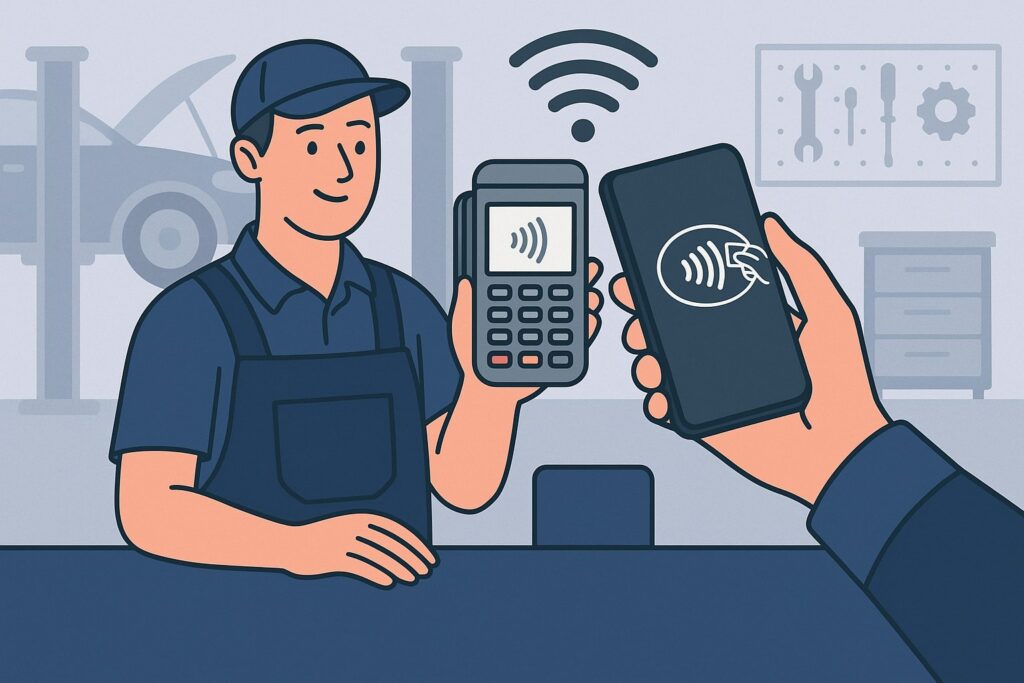
Contactless payments usually refers to NFC-based “tap” transactions—where a customer taps a contactless card or mobile wallet (like Apple Pay or Google Pay) on a compatible reader.
In practice, contactless payments in auto shops can also include several “touchless” experiences around the tap moment: pay-by-link invoices, QR-based checkout, and mobile checkout at the vehicle. But the core capability most customers expect is fast NFC tap acceptance.
In an auto shop environment, contactless payments matter because your payments rarely look like retail. You often collect deposits, take partial payments, run supplements, or close out after long repair cycles. A strong contactless payments setup supports:
- Multiple transaction types: deposits, final balance, split tenders, and tips (where applicable).
- Card-present security: a true “tap” transaction at pickup, not a card number typed into a terminal.
- Mobility: payment at the vehicle or in the lot during peak times.
- Speed without shortcuts: quick checkout while still capturing signatures/receipts where required by your workflow.
You’ll also hear terms like EMV contactless, NFC, tokenization, digital wallets, and TapToMobile / softPOS (accepting tap payments on a phone without a dedicated terminal).
EMVCo has been advancing testing processes to improve experiences when mobile devices are used for contactless acceptance—this matters if you’re considering phone-based acceptance now or in the near future.
Step 1: Map Your Payment Moments Before You Buy Anything

Before selecting hardware, define exactly where contactless payments in auto shops will happen. Many shops buy a countertop reader, turn on the tap, and stop—then wonder why customers still call in card numbers or why advisors keep walking back and forth.
Start by mapping your high-frequency “payment moments”:
- Drop-off deposit: customer approves estimate and leaves a deposit.
- Mid-repair authorization: supplements, additional parts, or labor changes.
- Pickup checkout: the final balance, often when the customer is in a hurry.
- After-hours pickup: pay ahead, then grab keys from a lockbox.
- Fleet or business accounts: weekly billing, cards on file (when allowed), or pay-by-link.
Then decide which of these should be card-present contactless payments vs remote payments (pay-by-link or invoicing). If your shop regularly collects at the vehicle, you’ll want at least one mobile-capable option. If you do lots of pay-ahead pickups, a secure invoice link can reduce no-shows and keep your front desk quieter.
This step prevents a common mistake: implementing contactless payments in auto shops as a “checkout-only” feature. In reality, you’re designing a payment system that supports your whole repair lifecycle—without forcing your team into extra clicks or customers into extra phone calls.
Step 2: Choose the Right Acceptance Method (Terminal vs Tap-to-Phone vs Hybrid)
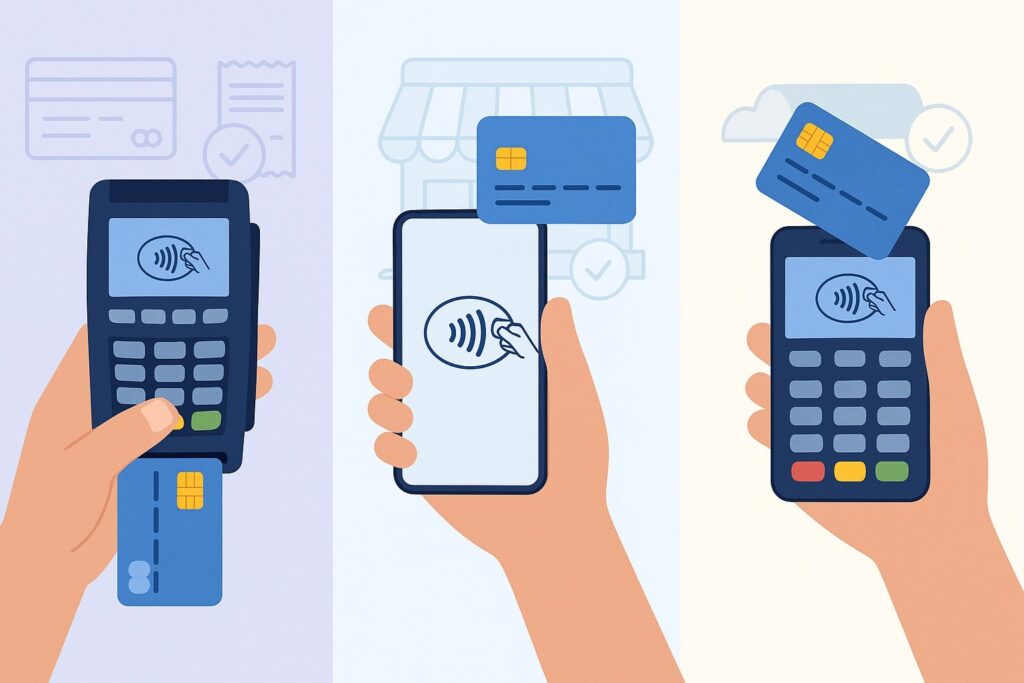
There are three practical ways to accept contactless payments in auto shops, and the best choice often depends on how your service desk operates.
Countertop contactless terminal (classic approach)
A dedicated terminal at the front desk is usually the simplest place to start. You get reliable NFC performance, a familiar customer experience, and the strongest “retail-grade” flow for chip, tap, and sometimes swipe fallback. This works best when most customers pay at pickup inside the office.
Mobile terminal (best for lot payments and peak times)
A handheld reader paired with a tablet/phone is ideal when advisors walk customers out to their vehicles, do quick add-ons, or handle curbside pickup. It can also reduce congestion at the counter.
Tap-to-Phone / TapToMobile (fastest deployment, growing rapidly)
Tap-to-Phone (also called TapToMobile or softPOS) allows a smartphone to accept contactless payments directly—no separate reader needed. EMVCo has been evolving testing and approval processes to improve acceptance experiences on standard NFC devices, which is a strong indicator this approach will keep improving.
Two mainstream examples of phone-based acceptance you may hear about:
- Tap to Pay on iPhone, where merchants can accept contactless payments using only an iPhone and a supported payment app.
- Tap to Pay on Android solutions, which have device compatibility requirements that vary by implementation/provider.
Hybrid is common: a countertop terminal for standard pickup plus one mobile option (either a handheld reader or tap-to-phone) for the lot and busy periods.
Step 3: Pick Hardware That Can Handle Real Auto Shop Conditions
Hardware selection makes or breaks contactless payments in auto shops. Auto shops aren’t boutique retail: you have dust, grease, gloves, harsh lighting, and customers who may be juggling keys, kids, or a phone call.
Look for these practical specs and features:
- Strong NFC “tap” performance: consistent reads even if customers tap quickly or at odd angles.
- Rugged build and stable stands: a wobbly terminal creates failed taps and awkward moments.
- Readable screens: high brightness helps under shop lighting and sunlight near windows/doors.
- Reliable connectivity: Ethernet for countertop stability; Wi-Fi/LTE options for mobile.
- Receipt options: digital receipts by SMS/email reduce paper mess; a printer can still be useful for some workflows.
- PIN on glass where needed: depending on transaction and network rules, PIN entry or verification may apply.
If you’re using phone-based acceptance:
- Confirm device compatibility, OS versions, and security requirements with the provider. Visa Acceptance documentation, for example, publishes specific compatibility requirements for Android devices in tap-to-phone implementations.
- Create a shop policy for dedicated devices vs personal phones. Personal-device acceptance can raise operational and security concerns.
The best hardware choice is the one your advisors will actually use every day. If it’s slow to wake, hard to connect, or feels fragile, your team will revert to keyed entry or “call me your card number,” which defeats the point of contactless payments.
Step 4: Integrate Contactless Payments With Your POS and Shop Management Workflow
“Tap” is only one piece. The real value of contactless payments in auto shops comes from integrating payment acceptance into your workflow: estimates, invoices, tickets, and reporting.
Focus on these integration priorities:
- Two-way syncing: payments should post back to the ticket automatically, so your closeout is accurate.
- Partial and split payments: many repairs involve deposits and later balances; your system must support both cleanly.
- Digital invoices and pay-by-link: great for after-hours pickups and customers who want to pay before arrival.
- Refund handling: parts returns or job changes require a clean refund/adjustment path.
- User permissions: limit who can issue refunds, key-enter, or email payment links.
If your shop runs multiple advisors, use individual logins and role-based permissions so you can track activity and reduce disputes. Operational clarity reduces “who ran this transaction?” drama—especially important with higher-ticket repairs.
Also decide how you’ll handle tips (if your shop has a tipping culture for detailing or add-on services). Tip prompts can increase revenue but must match your brand and customer expectations.
When integration is done well, contactless payments become invisible: the advisor builds the invoice, collects the payment in one flow, and the ticket closes without extra manual reconciliation.
Step 5: Security and Compliance Basics You Can’t Skip (Without Turning It Into a Nightmare)
Security is not optional with contactless payments in auto shops—especially because repair tickets can be high-dollar and disputes can happen. The good news: you don’t need to be a security engineer. You just need a clean setup and disciplined processes.
Start with PCI DSS 4.0 awareness and merchant validation basics. The PCI Security Standards Council publishes PCI DSS documentation and SAQs that help merchants assess scope and requirements.
Key practical moves:
- Keep card data out of your systems. Do not store card numbers in notes, invoices, spreadsheets, or text messages.
- Use P2PE/encrypted terminals where possible. It shrinks PCI scope and reduces exposure.
- Separate networks. If possible, keep POS devices on a network separate from guest Wi-Fi.
- Lock down access. Unique logins, strong passwords, and limited admin rights.
- Update devices and apps. Patch POS tablets/phones like you patch business laptops.
- Have a chargeback packet habit. Store signed estimates, before/after photos, timestamps, authorizations, and communications.
Contactless payments can reduce fraud risk compared to keyed entry because it is a card-present method. But your internal habits still matter. Most “payment problems” in shops come from process gaps: unclear estimates, missing approvals, or weak documentation—so tighten those while you modernize payments.
Step 6: Build a Checkout Flow Customers Love (and Staff Won’t Fight)
A smooth experience is how contactless payments in auto shops turn into higher adoption and fewer awkward moments.
Design your checkout to be fast and predictable:
- At pickup: advisor shows final invoice, confirms the amount, then immediately presents the terminal for tap.
- For mobile wallet users: make it obvious they can pay with a phone or watch—simple signage helps.
- Receipts: offer digital receipts by default. Customers prefer it, and it reduces paper clutter.
- Pay-ahead option: send a secure payment link when the job is complete, so pickup is “grab keys and go.”
When customers pay via mobile wallet, it’s useful to understand their side too. Google’s Wallet Help guidance highlights basics like NFC being enabled and Google Pay being set as the default payment method for tap-to-pay. Knowing this helps your staff troubleshoot quickly when a customer says, “My phone won’t tap.”
Train staff to use friendly phrases:
- “You can tap your card or pay with your phone right here.”
- “If you’d rather pay ahead, I can text/email a secure link.”
- “For larger amounts, your bank may ask for verification—that’s normal.”
A great checkout isn’t flashy. It’s consistent. The more consistent your process, the more contactless payments become the default instead of a special request.
Step 7: Train Your Team and Standardize Policies (Deposits, Keyed Entry, Disputes)
Even the best equipment fails if your team doesn’t have clear rules. Contactless payments in auto shops touch money, trust, and customer emotions—so standardization is everything.
Create simple shop-wide policies:
- When to request a deposit (and minimum amounts).
- When keyed entry is allowed (ideally only when absolutely necessary).
- How to verify identity for phone orders or pay-by-link approvals.
- How to handle declines without embarrassment (offer alternatives calmly).
- How to document approvals for supplements and changes.
- Refund and void rules with manager approval thresholds.
Run short roleplay training:
- Advisor collects a deposit at drop-off using contactless payments.
- Advisor sends a pay-by-link invoice and confirms receipt.
- The advisor handles a “my wallet isn’t working” scenario.
- Advisor handles an upset customer disputing a supplement.
The payoff is measurable: fewer mistakes, fewer “I didn’t authorize this” claims, and less time wasted reconstructing what happened on a ticket.
Step 8: Measure Results and Optimize for Profit (Not Just Convenience)
To make contactless payments in auto shops genuinely valuable, track metrics that tie directly to profit and throughput—not just “we have tap now.”
Watch these KPIs:
- Checkout time per ticket (before vs after contactless rollout).
- Percentage of tickets paid contactless (card or wallet tap).
- Keyed entry rate (should fall over time).
- Average ticket size (faster checkout sometimes increases add-on acceptance).
- Dispute/chargeback rate and documentation completeness.
- After-hours pickup usage (pay-by-link adoption).
Then optimize:
- If contactless adoption is low, improve signage and staff prompts.
- If mobile checkout is rare, add one mobile acceptance device to reduce “walk back to terminal” friction.
- If disputes occur, tighten estimated approval steps and store evidence consistently.
Contactless payments are not just a payment feature. They’re a workflow upgrade. When measured and refined, they reduce friction across the customer journey and help your shop scale without adding front-desk stress.
Future Predictions: Where Contactless Payments in Auto Shops Are Headed
The next wave of contactless payments in auto shops will be less about dedicated terminals and more about software-driven acceptance and mobility.
Here’s what’s likely (based on industry direction and current standards work):
- More TapToMobile (phone-as-terminal) adoption. EMVCo’s continued work on TapToMobile testing and performance signals ongoing investment to improve the “tap acceptance on phones” experience.
- Broader mainstream phone-based acceptance options. Apple positions Tap to Pay on iPhone as a way to accept contactless payments using only an iPhone with a supported payment app—reducing hardware barriers for mobile acceptance.
- Tighter security expectations. PCI DSS 4.0 continues to push stronger security practices and validation approaches, which will keep encouraging merchants to reduce scope via encrypted, validated solutions rather than DIY storage or workarounds.
- More “pay anywhere” expectations. Customers will increasingly expect to pay at the vehicle, through a text link, or via a quick tap at pickup with a digital wallet.
For auto shops, the strategic move is to implement contactless payments now in a way that can evolve: pick a provider that supports both terminals and mobile acceptance, keep your workflow clean, and reduce your dependence on manual entry.
FAQs
Q.1: What do I need to start accepting contactless payments in an auto shop?
Answer: At minimum, you need a payment processor (merchant account or payment platform), a POS or payment app, and an NFC-capable acceptance method (a contactless terminal, mobile reader, or tap-to-phone solution). If you want the smoothest rollout, start with a countertop terminal that supports tap, then add a mobile option once staff adoption is solid.
You’ll also want to confirm your system supports the real-world needs of contactless payments in auto shops: deposits, partial payments, refunds, and reporting tied to repair orders.
If you plan to accept payments directly on a phone, verify that your device model and OS are compatible and that your provider supports the approach (requirements vary by implementation).
Finally, make sure you understand your PCI responsibilities. Use solutions that keep card data out of your systems, and complete the correct validation steps for your environment.
Q.2: Are contactless payments safer than swiping or typing in a card number?
Answer: In general, yes—contactless “tap” is a card-present method and is typically safer than keyed entry, which is commonly associated with higher fraud risk and more disputes. Mobile wallets also add additional layers (like device security and tokenization) that can reduce exposure compared to raw card numbers being handled directly.
However, contactless payments in auto shops are only as safe as your processes. If your staff starts writing card numbers down, sending them through text, or storing them in invoices/notes, you create unnecessary risk. A secure setup combines proper devices, good documentation, and tight access control, aligned with PCI expectations.
Q.3: Can I accept contactless payments using only an iPhone or Android phone?
Answer: Often, yes—depending on your payment provider and device compatibility. Apple describes Tap to Pay on iPhone as a way for merchants to accept in-person contactless payments using only an iPhone with a supported payment app.
On Android, tap-to-phone acceptance exists as well, but device requirements and supported configurations vary; providers publish compatibility requirements you should confirm before rollout.
For many auto shops, phone-based acceptance is great as a secondary option for the lot or busy pickup times, while a dedicated terminal remains the most consistent primary checkout experience.
Q.4: How do I reduce chargebacks when enabling contactless payments in my shop?
Answer: Chargebacks in auto shops often come from misunderstandings, not “tap” itself. Reduce risk by tightening documentation:
- Clear written estimates and approvals for changes
- Photos (before/after) where relevant
- Time-stamped customer communications
- A consistent “work completed” summary on the final invoice
- A disciplined policy for deposits and supplements
Contactless payments can actually help because the transaction is card-present, but your documentation is what wins disputes.
Q.5: Do customers actually want contactless payments at an auto shop?
Answer: Yes—because it matches how they pay for groceries, coffee, and everything else. Many customers also prefer mobile wallets because they’re fast and they don’t want to hand over a physical card.
Additionally, some customers are already used to troubleshooting basics like enabling NFC or setting a default wallet, so your team can quickly guide them when needed.
Conclusion
Implementing contactless payments in auto shops is not just about adding a “tap” symbol to your counter. It’s about building a payment experience that fits the reality of repair work: deposits, supplements, approvals, mobile pickup, and higher average tickets.
The best approach starts with mapping your payment moments, choosing the right acceptance method (terminal, mobile, or tap-to-phone), integrating payments into your workflow, and locking down security and team policies.
As the industry moves toward more mobile-first acceptance models—supported by ongoing standards efforts like EMVCo’s TapToMobile initiative—shops that build flexible, secure systems now will be positioned to adopt newer experiences without redoing everything later.