
7 Proven Ways to Reduce Car Shop Downtime (Complete Guide for Auto Repair Businesses)
Auto repair is a throughput business. Every hour a service bay sits idle is an hour you can’t sell—even if your parking lot is full and your phones are ringing. If you want to reduce car shop downtime, you have to treat time like inventory: track it, protect it, and deploy it where it produces billable labor.
Shop downtime doesn’t just hit revenue. It drags technician morale when skilled people are stuck waiting on approvals, parts, or unclear dispatching. It also damages customer satisfaction when promised completion times slip, updates are inconsistent, and vehicles linger for avoidable reasons.
In competitive markets, the shops that win aren’t always the ones with the best marketing—they’re the ones that reduce downtime in auto repair shops by building a disciplined workflow, tightening communication, and removing bottlenecks that keep work from reaching the bay.
This guide is written for owners, service managers, foremen, and operators who want practical, operations-focused methods to Minimize service bay downtime in auto shops. You’ll get step-by-step processes, real-world shop scenarios, and simple KPI formulas you can apply immediately—without fluff, unrealistic promises, or keyword stuffing.
Understanding Car Shop Downtime and Why It’s More Expensive Than You Think
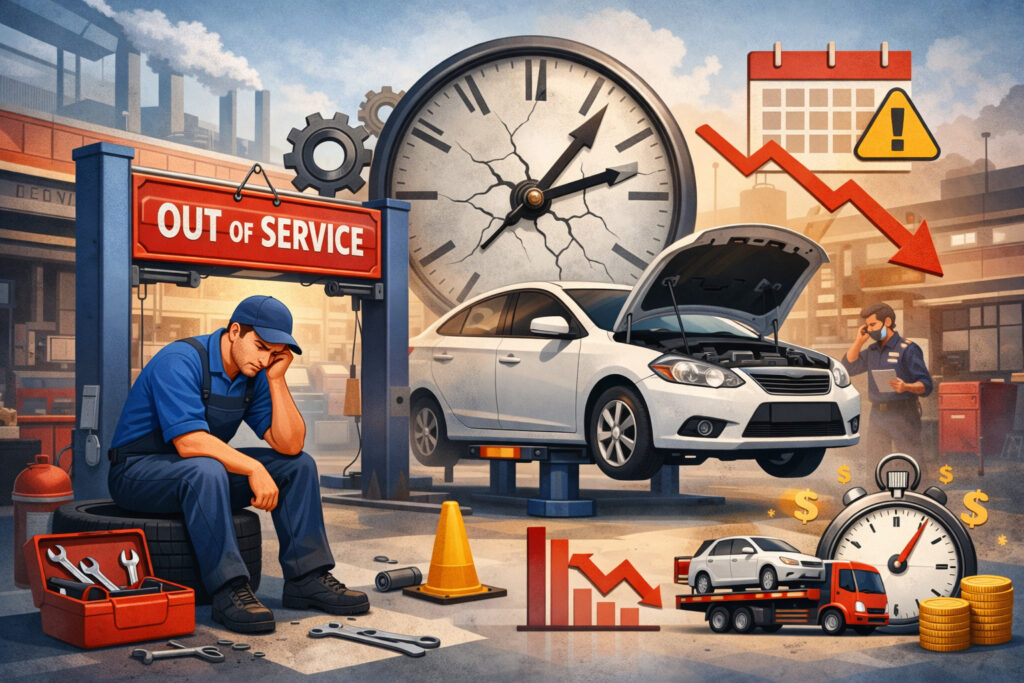
Car shop downtime is any period when a service bay, technician, or critical piece of equipment is available but not producing billable work. That includes obvious idle time—like a lift sitting empty—but also “hidden downtime,” such as a tech waiting on a service advisor, parts, a diagnostic decision, or an authorization. The bay might look busy while output is stuck.
Downtime usually falls into a few categories:
- Parts delays: wrong part ordered, no ETA, backorders, or missing clips/hardware that stop reassembly
- Scheduling gaps: uneven appointment load, no-show appointments, or poor capacity planning
- Equipment breakdowns: lift failures, alignment rack calibration issues, compressor problems
- Administrative delays: slow estimates, unclear labor ops, waiting for approvals, payment holds
- Workflow inefficiencies: incomplete inspections, unclear dispatching, rework, missing information
The real problem is compounded cost. One blocked job can “starve” the next bay activity. A single missing part can freeze a bay, clog the lot, and force advisors to reshuffle the day. Meanwhile, techs lose momentum, and your service department bottlenecks multiply.
Hidden costs of idle service bays include:
- Lost labor sales from unbilled hours
- Lower service bay utilization rate, even if the schedule is “full”
- Reduced automotive shop productivity due to task-switching and waiting
- Customer churn from delayed delivery and inconsistent updates
- Higher stress and turnover risk as technicians feel the system wastes their time
To improve auto repair shop efficiency, you don’t need a miracle. You need a repeatable operating system: scheduling discipline, parts control, clear communication, fast authorizations, reliable equipment, and KPI tracking that shows where time is leaking.
1) Optimize Technician Scheduling (Without Overbooking or Burning Out Your Team)

Technician scheduling strategies are the foundation of shop workflow optimization. Many shops schedule like a calendar business (“every slot filled”) instead of a capacity business (“right work, right tech, right time”). The result is predictable: front-loaded chaos, midday bottlenecks, and late-day stalls when diagnostic decisions or parts delays finally surface.
Start by scheduling to capacity, not hope. Capacity depends on:
- Available tech hours (clock hours)
- Productivity reality (not the ideal)
- Mix of work (maintenance, repair, diagnostic, heavy line)
- Bay constraints (alignment rack, lifts, specialty tools)
Step-by-step scheduling process you can implement this week
- Classify your work types: Create 4–6 categories such as: quick service, maintenance, diagnostic, light repair, heavy repair, and “comebacks/priority.”
- Map tech strengths and constraints: Identify which techs are fastest at which categories and which bays/tools they require.
- Build a daily capacity target: Use a conservative baseline first. If you have 4 techs at 8 hours/day, that’s 32 clock hours. If your real productivity averages 110%, you can plan around ~35 billable hours—not 45 “because it’s busy.”
- Hold diagnostic capacity every day: Diagnostic work is the gatekeeper for repair work. If diagnosis waits, everything waits. Reserve at least 10–20% of capacity for diagnostic decisions.
- Use staggered drop-offs and “time windows”: Avoid 8:00 AM pile-ups. Use arrival windows (8–9, 9–10) and set customer expectations around authorization timing.
- Create a same-day buffer: Leave one flexible slot for “found work” from inspections and high-velocity jobs that can be completed if parts are in stock.
Real-world scheduling scenario
A 6-bay shop books 10 cars for 8 AM. Advisors spend the first two hours writing up, techs wait, and the alignment rack gets hit all at once. By noon, the shop is behind and starts pushing work to tomorrow. A better approach is staggering arrivals, dispatching diagnostics first, and scheduling alignment-heavy jobs across the day.
What to watch
- Too many “waiters” creates constant preemption and kills flow.
- Overbooking hides downtime early and amplifies it later.
- Underbooking creates visible downtime and panic discounting.
Scheduling is not about “busy.” It’s about predictable flow and stable service bay utilization.
2) Improve Parts Ordering and Inventory Management to Stop Bay Starvation

Parts delays are one of the most common reasons shops fail to reduce downtime in auto repair shops. A technician can’t finish what they can’t reassemble. Even worse, a missing $4 gasket can block a bay for hours, pushing other jobs into tomorrow and creating a parking lot full of half-done vehicles.
Strong parts inventory management in an auto shop requires two systems:
- Fast, accurate ordering for today’s work
- Stock control for high-frequency items
Step-by-step parts process that reduces downtime immediately
- Standardize the estimate-to-order handoff
Every estimate should clearly identify:- required parts (including one-time-use items)
- fluids, hardware, clips, and shop supplies
- “conditional parts” (only needed if inspection confirms)
- Assign a parts owner (even part-time)
If everyone orders parts, no one owns the outcomes. A service advisor can do it, but it must be explicit. - Use a “kit mindset” for common jobs
Brakes aren’t pads-only. Build repeatable kits:- pads + rotors + hardware + brake cleaner + lube
- filters + drain plug gasket + correct oil spec
- cooling system: hoses + clamps + coolant + thermostat gasket
- Build a fast-moving inventory list
Track top 50–100 items by frequency:- oil filters (most common models)
- wiper blades
- bulbs/fuses
- common fluids
- brake hardware kits
- clamps and universal hoses
- Use reorder points instead of “checking the shelf”
For each stocked item:- Min quantity = lowest acceptable level
- Reorder point = min + expected usage during supplier lead time
- Order quantity = enough for 1–2 weeks, not months
- Control returns and core management
Returns are hidden labor. Reduce wrong parts with VIN verification and standard part number checks.
Real-world parts scenario
A shop schedules three brake jobs and one suspension job for Tuesday. Two brake jobs stall because hardware kits weren’t ordered. The suspension job stalls because the alignment rack is tied up with an unfinished vehicle awaiting a tie rod end. The fix is not “work harder.” The fix is building kits and enforcing an order checklist before a vehicle enters a bay.
KPI to track parts-related downtime
- Parts First-Time Fill Rate (%) = (ROs completed without parts delay ÷ total ROs) × 100
- Parts Wait Time (hours) = total hours techs/bays wait for parts per day
Even small improvements here unlock massive gains in reducing vehicle turnaround time.
3) Use Shop Management Software to Make Workflow Visible and Actionable

Many shops run on tribal knowledge: the manager knows what’s going on because they’re constantly walking the floor. That breaks as soon as the shop grows, the manager takes a day off, or the workload spikes.
Repair shop management software doesn’t magically create efficiency—but it can make workflow visible, enforce steps, and reduce administrative downtime that starves technicians.
Good shop software supports:
- digital estimates and approvals
- job status tracking by bay/tech
- parts ordering integration and ETAs
- digital vehicle inspections (DVI)
- technician time tracking and dispatching
- automated customer updates and invoicing
Step-by-step: implement software without disruption
- Document your workflow first
Software won’t fix a broken process. Define the stages:- check-in → inspection → estimate → authorization → parts → repair → QC → delivery
- Set clear job statuses and rules
Examples:- “Waiting for inspection” must have a promised inspection completion time
- “Waiting for approval” must trigger a customer update
- “Waiting for parts” must show ETA and be reviewed twice daily
- Build standard labor operations
Use consistent job lines for common repairs. This reduces estimate time and prevents admin delays. - Use a visual dispatch board
Whether digital or printed, your dispatch board should show:- tech assignment
- bay assignment
- status and blockers
- promised time and priority
- Automate what steals time
- appointment confirmations
- “vehicle ready” notifications
- payment links or digital invoicing
- follow-up reminders
- Train the team on one feature at a time
Most implementations fail due to overload. Start with:- status tracking
- digital approvals
Then add DVI and parts integration.
Real-world shop scenario
A service advisor writes estimates in a notebook and texts customers for approvals. Approvals get missed, techs keep working on “maybe approved” jobs, and comebacks rise. Switching to digital approvals with a clear authorization step prevents techs from touching unapproved work and shortens the time-to-yes.
Software is most valuable when it reduces service department bottlenecks and makes idle time visible—so you can fix the root cause instead of guessing.
4) Streamline the Repair Authorization Process (Because Waiting Kills Throughput)
Waiting for approvals is one of the most expensive forms of downtime because it happens midstream. The car is already in the bay, disassembled, and blocking capacity. If authorization is slow, everything downstream is delayed: parts ordering, reassembly, road test, and delivery.
The goal is simple: shorten the time between “inspection complete” and “approved.” That requires a consistent process, clear presentation, and a customer communication cadence.
Step-by-step authorization workflow
- Set expectations at check-in
Tell customers exactly when they will receive:- inspection results
- estimate
- authorization request
Example: “We’ll have the inspection and recommendations to you by 10:30 AM.”
- Use a standardized estimate format
Every authorization request should include:- problem statement
- safety/priority level (now/soon/later)
- parts + labor breakdown
- total with tax/fees
- ETA if approved now
- Bundle work intelligently
Customers approve packages more often than line items. Combine related services:- front brakes + brake fluid service
- valve cover gasket + spark plugs (if applicable)
- suspension repair + alignment
- Use DVIs with photos/video
Visual proof reduces back-and-forth questions. Less back-and-forth = less bay downtime. - Implement a “two-touch” follow-up rule
If no response:- touch #1: call/text within 30–60 minutes
- touch #2: final attempt within 2 hours
After that, pull the vehicle out of the bay if possible.
- Create a “pending approval parking plan”
If approvals stall, move vehicles out of bays and stage them. This protects service bay utilization rate.
Real-world authorization scenario
A tech completes an inspection at 9:15 AM. The advisor doesn’t send the estimate until 12:30 PM because they’re swamped. The customer approves at 2:00 PM, parts arrive at 4:30 PM, and the job moves to tomorrow. A simple rule—inspection-to-estimate within 30 minutes—would have preserved same-day completion.
Authorization speed is not a “sales tactic.” It’s operations. Faster decisions mean fewer blocked bays and better automotive shop productivity.
5) Preventive Maintenance for Equipment and Lifts to Avoid Sudden Capacity Loss
Equipment breakdown is downtime you can’t “manage around” easily. If a lift fails or an alignment rack is down, your capacity collapses instantly. Preventive equipment maintenance for auto shops is not glamorous, but it protects your throughput and stabilizes scheduling.
Think of equipment as a production asset. If your bottleneck machine fails, the entire system slows down.
Step-by-step preventive maintenance program
- List your critical equipment and rank by impact
Typical critical assets:- lifts
- alignment rack
- tire machine and balancer
- air compressor
- scan tools and diagnostic subscriptions
- brake lathe (if used)
- Create a maintenance schedule with owners
Assign responsibility by role:- shop foreman: weekly lift inspections
- lead tech: daily tool readiness checks
- manager: monthly vendor service scheduling
- Use simple checklists
Examples:- lift arms and locks inspected weekly
- compressor drains daily/weekly
- alignment rack calibration schedule
- tire equipment inspection and cleaning
- Track breakdowns and recurring issues
If the same lift fails twice in 60 days, treat it as a reliability risk and schedule corrective service. - Plan downtime intentionally
Schedule maintenance during slow periods or block one bay for a half-day rather than losing multiple days unexpectedly. - Stock critical spares
Items like air fittings, common electrical components, and shop consumables prevent “waiting on a tiny part” failures.
Real-world equipment scenario
A shop’s compressor fails mid-morning. Suddenly no air tools work, tire machines stop, and productivity collapses. The cost isn’t just repair—it’s lost billable hours across the whole team. A preventive plan that includes routine draining, filter changes, and vendor checks reduces the chance of that total shutdown.
Preventive maintenance is a direct lever to reduce car shop downtime because it protects your capacity from sudden drops.
6) Improve Communication Between Service Advisors and Technicians (So Work Doesn’t Get Stuck)
Many shops blame downtime on “tech speed” or “advisor workload,” but the real cause is handoff failure. When advisors and techs operate in separate worlds, vehicles get stuck in limbo: unclear priorities, missing information, and delayed decisions.
Communication is not about more meetings. It’s about clear signals, consistent updates, and tight handoffs.
Step-by-step communication system that reduces idle time
- Run a short daily production huddle (10 minutes)
Cover:- today’s promised deliveries
- diagnostic priorities
- parts ETAs
- known blockers
- Use a “dispatch standard”
Every dispatched job should include:- customer concern
- agreed-upon diagnostic direction
- time expectation
- any constraints (waiter, tow-in, promised time)
- Create a clear escalation path
If a tech is blocked:- step 1: notify advisor immediately
- step 2: advisor responds within 10–15 minutes
- step 3: if unresolved, foreman reassigns work or moves vehicle out of bay
- Standardize inspection completion deadlines
Inspections should not stretch indefinitely. Set targets by job type and enforce them. - Require “next step” notes
Every RO should always have a next step:- waiting for approval (sent at X time)
- waiting for parts (ETA Y)
- in repair (tech Z)
- QC pending (assigned to A)
- Reduce interruptions with batching
Advisors can batch non-urgent questions and address them at set times, while urgent blockers get immediate attention.
Real-world shop scenario
A tech finishes inspection but doesn’t communicate urgency. The advisor assumes it can wait. The vehicle stays in the bay for two hours, blocking a high-value job. If the tech’s inspection completion automatically triggers a status update and the advisor has a response SLA, the bay stays productive.
Better communication is one of the fastest ways to improve automotive shop productivity without adding staff.
7) Track and Measure Shop KPIs to Identify Where Downtime Starts
If you’re not measuring downtime, you’re guessing. And guessing usually leads to the wrong fix—like hiring more techs when the real issue is approvals, dispatching, or parts control.
Automotive KPI tracking should focus on throughput, not vanity metrics. The objective is to improve labor hours per repair order, reduce vehicle turnaround time, and increase service bay utilization rate without increasing chaos.
Step-by-step KPI tracking approach
- Start with 5 core KPIs
Keep it simple at first:- service bay utilization
- productivity
- efficiency
- effective labor rate
- cycle time (turnaround)
- Define each KPI clearly
Avoid debates like “what counts as hours.” Write it down and enforce consistency. - Track daily, review weekly
Daily tracking shows immediate breakdowns. Weekly review shows patterns. - Tie KPIs to specific processes
Example:- low utilization → scheduling gaps, approvals, parts delays
- low productivity → dispatch issues, excessive waiting, poor flow
- low efficiency → training needs, wrong labor times, rework
- Use KPIs for coaching, not punishment
If techs fear metrics, they’ll game the system. Use data to fix blockers and improve training.
Simple KPI formulas you can use
- Service Bay Utilization Rate (%)
= (Total billable hours produced ÷ Total available bay hours) × 100
Available bay hours = number of bays × operating hours - Productivity (%)
= (Billable hours produced ÷ Clock hours worked) × 100 - Efficiency (%)
= (Billable hours produced ÷ Hours sold/estimated) × 100
(Some shops define efficiency differently; pick one definition and stick with it.) - Effective Labor Rate (ELR)
= (Total labor sales dollars ÷ Total billable hours produced)
Real-world KPI example
If you have 6 bays and are open 9 hours, you have 54 available bay hours. If the shop produces 38 billable hours, utilization is (38 ÷ 54) × 100 = 70.37%. That may sound “okay,” but it also means 16 bay hours were lost to waiting, admin delays, parts, or gaps—your biggest opportunity.
KPIs show exactly where to focus your downtime reduction efforts.
Measuring and Monitoring Downtime Day-to-Day (So Improvements Stick)
Reducing downtime isn’t a one-time project. It’s a daily management rhythm. Without a monitoring system, shops tend to relapse into firefighting, and the same bottlenecks return.
Start by treating the day like a production schedule, not a list of appointments. Each vehicle should have a clear path: intake → inspection → decision → parts → repair → QC → delivery.
Build a daily workflow tracking cadence
- Morning: confirm today’s promised deliveries and diagnostic priorities
- Midday: review parts ETAs and pending approvals
- Afternoon: protect completion by moving stalled jobs out of bays and dispatching ready work
KPI definitions that eliminate confusion
- Productivity vs. efficiency: Productivity reflects how much a tech produces relative to time worked. Efficiency reflects how well billed time aligns with estimated or sold time.
A tech can be productive but inefficient if estimates are wrong or rework is high. A tech can be efficient but not productive if they’re waiting all day. - Effective labor rate (ELR): ELR helps you identify discounting, poor labor matrix usage, or too much low-value work consuming capacity.
Downtime visibility rules that matter
- Every job must have a status.
- Every status must have an owner.
- Every “waiting” status must have a timestamp and next action.
- Anything waiting longer than a set threshold should trigger escalation.
This system turns downtime from a mystery into a manageable queue of blockers.
Common Bottlenecks in Auto Repair Shops and How to Remove Them
Most downtime comes from a few predictable bottlenecks. The fix is usually not more effort—it’s better process design.
Waiting for approvals
This happens when estimates are slow, customers aren’t primed for decisions, or advisors don’t follow up consistently. Fix it by setting check-in expectations, using DVIs, and enforcing an inspection-to-estimate time rule.
Incomplete inspections
Incomplete inspections delay decisions and create rework. Use standardized inspection templates and set time targets for completion. Require techs to document the next step clearly so advisors can act quickly.
Poor dispatching
When dispatching is informal, techs cherry-pick, priorities are unclear, and high-value work sits untouched. A dispatch board and foreman-controlled assignments prevent invisible downtime.
Inefficient vehicle intake process
If check-in takes too long, techs wait. Use a standardized intake checklist:
- verify concern
- capture mileage and key details
- confirm contact and authorization preferences
- set expectations for inspection timing
- pre-collect approval thresholds when possible
Parking lot congestion
Half-done vehicles block movement and tie up space. Create staging rules:
- vehicles waiting for approval move out of bays
- vehicles waiting for parts go to a designated staging area
- bays stay reserved for active repair
Bottlenecks don’t disappear on their own. They require rules, ownership, and consistent review.
Technology That Reduces Downtime Without Creating Chaos
Technology works when it supports your process—not when it replaces thinking. The goal is to reduce administrative friction, improve communication, and speed up decisions.
Digital Vehicle Inspections (DVI)
DVIs reduce back-and-forth. Photos and short videos build trust and shorten approval time. They also standardize inspections, reducing missed items and comebacks.
Online scheduling
Online scheduling can reduce call load and improve appointment distribution. The key is controlling what customers can book. Limit online booking to services with predictable duration and parts availability, and route complex jobs through advisor review.
Automated customer communication
Automated updates reduce “status calls,” which steal advisor time and delay authorizations. Set automated messages for:
- vehicle checked in
- inspection complete
- estimate sent
- vehicle ready
- follow-up reminders
Digital invoicing and payment systems
Payment delays can become end-of-day bottlenecks. Digital invoices and pay-by-link options reduce checkout time and improve vehicle delivery flow.
When used properly, technology improves auto repair shop efficiency by keeping work moving and reducing interruptions.
Staff Training and Culture: The Hidden Engine Behind Operational Efficiency
Process improvements fail when the culture doesn’t support them. Downtime often persists because teams accept it as normal. To change it, you need accountability, training, and incentives aligned to flow and quality.
Accountability systems that work
- Make expectations visible: inspection completion times, dispatch rules, status updates
- Review performance weekly using KPIs
- Address blockers as a team problem, not a blame game
- Create “definitions of done” for each workflow step
Incentive programs (done responsibly)
Avoid incentives that encourage rushed work or corner-cutting. Align incentives with:
- quality (comeback rate)
- completion reliability (on-time delivery)
- productive hours with documented work
- teamwork behaviors (helping clear bottlenecks)
Cross-training technicians
Cross-training increases flexibility and reduces downtime when a specialist is absent. Examples:
- basic alignment training for multiple techs
- shared diagnostic process knowledge
- quick-service capabilities across the team
Culture is what turns shop workflow optimization into a sustained competitive advantage.
Common Mistakes to Avoid When Reducing Downtime
Many shops try to fix downtime and accidentally create new problems. Avoid these traps:
Overbooking
More cars doesn’t always mean more output. Overbooking increases interruptions, increases “waiters,” and forces rushed decisions that lead to rework.
Understaffing advisors or support roles
If advisors are overwhelmed, approvals slow and techs wait. If parts handling is unmanaged, ordering errors rise. Balance staffing to protect throughput.
Ignoring data
If you don’t measure, you’ll “feel” busy while losing hours to hidden downtime. Track a few KPIs consistently before adding more.
Reactive vs proactive management
If you only respond when things go wrong, you’ll stay in firefighting mode. Proactive management means:
- daily huddles
- parts ETA checks
- status review cadence
- preventive maintenance scheduling
Not protecting the bottleneck
If your alignment rack is the bottleneck, don’t schedule five alignments at 9 AM. Spread them out. If diagnostics are the bottleneck, reserve diagnostic capacity daily.
Avoiding these mistakes keeps downtime reduction from becoming chaos.
Practical 30-Day Downtime Reduction Plan (Week-by-Week)
This plan is designed to be realistic for busy shops. You don’t need to overhaul everything—just implement changes in a stable sequence.
Week 1: Make downtime visible and control the day
- Define workflow stages and job statuses
- Start a 10-minute daily production huddle
- Implement a dispatch board (digital or physical)
- Set inspection completion targets by job type
- Track two KPIs daily:
- utilization rate
- parts wait time
Outcome: you can see where bays get stuck and why.
Week 2: Fix approvals and intake delays
- Set check-in expectations for inspection/estimate timing
- Standardize estimate format and bundling rules
- Implement a two-touch follow-up rule for pending approvals
- Create a “pending approval staging” rule to protect bays
- Begin using photos/video for major recommendations (even if DVI is not fully implemented)
Outcome: fewer blocked bays waiting for decisions.
Week 3: Tighten parts control and reduce ordering mistakes
- Assign a parts owner
- Build job kits for top 10 services
- Start a fast-moving inventory list with reorder points
- Add a parts ETA review twice daily
- Track:
- parts first-time fill rate
- number of jobs delayed due to parts
Outcome: fewer midstream stalls and better reducing vehicle turnaround time.
Week 4: Stabilize scheduling and lock in KPI reviews
- Categorize work types and schedule to capacity
- Hold daily diagnostic capacity
- Implement staggered drop-offs
- Review weekly KPI trends:
- productivity
- ELR
- utilization
- cycle time
- Identify the top 2 recurring bottlenecks and assign owners
Outcome: smoother workflow, more predictable output, and sustained downtime reduction.
FAQs
Q1) What causes downtime in auto repair shops?
Answer: Downtime is usually caused by parts delays, slow approvals, scheduling gaps, equipment breakdowns, and workflow handoff failures. The most expensive downtime is midstream downtime—when a vehicle is already in a bay but work can’t continue due to a blocker like authorization or missing parts.
Q2) How do I measure service bay utilization?
Answer: Use: Utilization (%) = (Total billable hours produced ÷ Total available bay hours) × 100. Available bay hours equals the number of bays multiplied by operating hours. Track daily and review weekly to identify patterns.
Q3) What is a good productivity rate for technicians?
Answer: It varies by shop type and work mix, but many well-run shops aim for consistent improvement rather than a single “magic number.” Focus on removing waiting time and bottlenecks first; productivity rises naturally when techs have continuous, well-dispatched work.
Q4) How can small shops reduce downtime without hiring more staff?
Answer: Start with process fixes: stagger drop-offs, speed up approvals, build parts kits, and use a dispatch board. Small shops often gain the most from eliminating admin delays and tightening parts ordering.
Q5) Does shop management software really help reduce downtime?
Answer: Yes—when it enforces workflow stages, makes job status visible, speeds up approvals, and reduces communication friction. Software is most effective when paired with clear rules and consistent use, not when treated as a replacement for process.
Q6) How can I reduce parts delays quickly?
Answer: Assign a parts owner, standardize the estimate-to-order checklist, build kits for common jobs, and track parts first-time fill rate. Also review parts ETAs twice daily and move waiting-for-parts vehicles out of bays when possible.
Q7) What KPIs should auto shops track first?
Answer: Start with:
- service bay utilization
- productivity
- effective labor rate (ELR)
- cycle time/turnaround time
- parts wait time
Once these are stable, add comeback rate and inspection-to-authorization time.
Q8) What’s the difference between productivity and efficiency?
Answer: Productivity compares billable hours to clock hours worked. Efficiency compares billable hours to sold/estimated time. Both matter, and both point to different problems—workflow vs estimating accuracy and rework.
Q9) How do I identify service department bottlenecks?
Answer: Track where vehicles spend time in “waiting” statuses:
- waiting for inspection
- waiting for approval
- waiting for parts
- waiting for QC
Whichever status has the most hours is your bottleneck.
Q10) How does flat rate vs hourly productivity affect downtime?
Answer: Flat rate can motivate speed, but it can also create cherry-picking and quality risks if dispatching is weak. Hourly can reduce urgency if accountability is unclear. Regardless of pay structure, downtime usually comes from workflow and management system gaps.
Q11) What’s a realistic way to improve labor hours per repair order?
Answer: Improve inspection consistency, present recommendations clearly, and shorten approval cycles. Better labor hours per repair order often comes from catching complete work opportunities and getting timely approvals—not from upselling gimmicks.
Q12) How do digital vehicle inspections reduce downtime?
Answer: DVIs shorten approval time by showing customers visual proof and reducing repetitive questions. They also standardize inspections, which reduces missed items and prevents vehicles from returning for issues that should have been caught earlier.
Q13) How often should I review shop KPIs?
Answer: Track a few KPIs daily to manage the day, then review trends weekly for decision-making. Monthly reviews are useful for strategy, but too slow for operational control.
Q14) What should I do when a vehicle is waiting for approval too long?
Answer: Move it out of the bay to staging if possible, escalate follow-up using your two-touch rule, and dispatch another job to keep the bay producing. Protecting bay capacity is a core strategy to minimize service bay downtime in auto shops.
Q15) How do I prevent equipment breakdowns from disrupting the schedule?
Answer: Implement a preventive maintenance schedule for lifts, alignment equipment, compressors, and tire machines. Track recurring failures and plan maintenance intentionally during slower periods to avoid surprise shutdowns.
Conclusion
If you want to reduce car shop downtime, you need more than hustle. You need an operating system that keeps work flowing from intake to delivery with minimal waiting. When you reduce downtime in auto repair shops, you protect service bay utilization, stabilize productivity, improve morale, and deliver vehicles on time—without burning out your team.
The seven proven methods in this guide work because they target the real causes of downtime: scheduling mismatch, parts starvation, invisible workflow, slow authorizations, unreliable equipment, weak handoffs, and lack of KPI visibility.
Implement them in sequence, measure the results, and treat downtime reduction as a daily discipline—not a one-time project.